After installing the Notes client, the shortcuts stored in the operating system (for example in the Windows Start menu) normally invoke the file NOTES.EXE when the Notes client is started. You may also have tried starting the client by invoking the file NLNOTES.EXE.
Both work without any issues – which raises the question of why both files exist and what exactly the differences are.
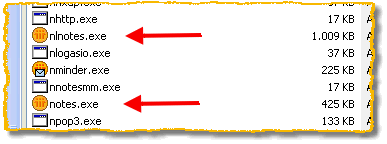
The files NOTES.EXE and NLNOTES.EXE of the Notes 6 client
Technical background
You could describe the file NOTES.EXE as a “launch pad” that in turn loads the file NLNOTES.EXE. To explain the relationships in more detail, the following information is based on article #1092749 from the IBM Lotus Knowledge Base.
After it is started, the file NOTES.EXE performs the following activities:
- Displays the splash screen.
- Checks whether the Notes client has already been started. If so, NOTES.EXE terminates itself.
- Starts the file QNC.EXE (Application Debugger), provided this is configured accordingly. Please also refer to the note below.
- Starts the file NLNOTES.EXE – the actual Notes client then presents itself with the password prompt on the screen.