Starting with Notes Client version 8.5.2 it is now (finally) possible to define a default font for mails.
Set Default Font for Mails
Open a new mail and type a few characters. Set the desired font type and size for the text you entered. Make sure the input cursor is positioned inside the entered text (see the screenshot in the salutation).
Now choose the menu item "Set Current Font as Mail Default".
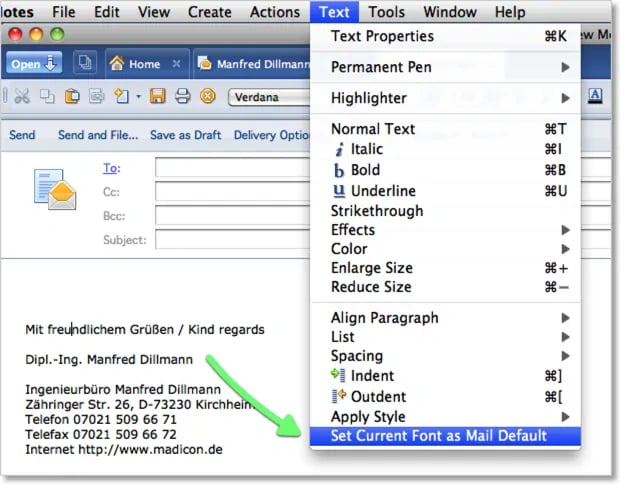
Notes Client Confirmation
The Notes Client confirms your selection with the following dialog.
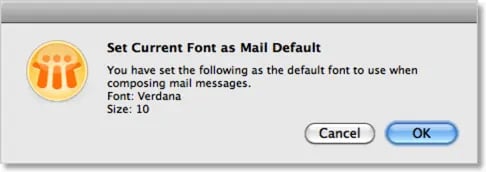
The dialog shows both the selected font ("Verdana" in the example) and the font size ("10 points" in the example).
Note
The default also applies to the configured signature.