A very useful feature of the Notes Client that has been available since version 6. You can move individual cells or even entire rows in a table up or down using the arrow keys.
Initial situation
For example, you create a new mail and insert a table in the text area (body).
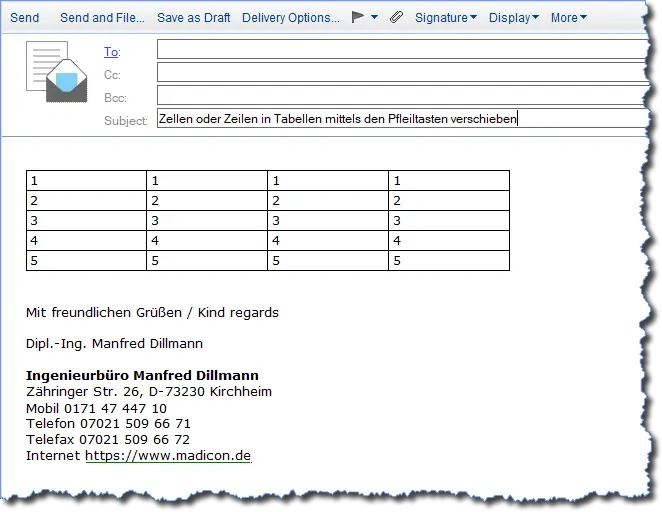
A table has been added to a new mail in the text area (body)
Moving a single cell
Click on the desired cell. Now press and hold the key:
- macOS: Option
- Windows: Ctrl
and use the up or down arrow keys (cursor keys).
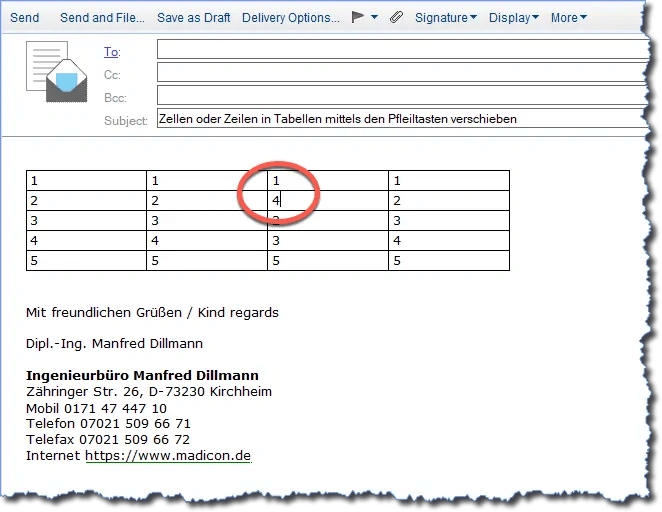
Moving a single cell in a table
Moving multiple cells or an entire row
If you select multiple cells or an entire row of a table, moving up or down works in the same way:
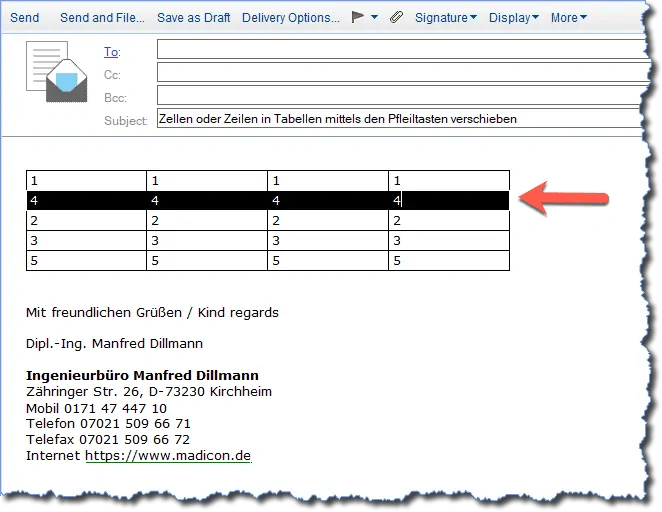
Moving an entire row in a table
Note: When moving an entire row, make sure that all cells have actually been selected.
Moving left or right is not possible
Unfortunately! Based on my tests, the Notes Client does not support moving individual cells or a column to the left or right.