After setting up ID Recovery (available since Notes/Domino R5), backup copies of user IDs are transported via mail routing into a Mail-In database (ID vault). This applies both to newly registered users and to existing users whose ID is renewed or for whom a name or department (certifier) change is performed.
Which different ID files are we talking about?
You will notice that the backup IDs for newly registered users in the Mail-In database have the file name user.id. However, if a user is renamed or the certifier (department) is changed, the file is named ~~tmpid.ide. This name looks somewhat unusual and may give the uneasy impression that it is not a fully functional backup of a user ID.
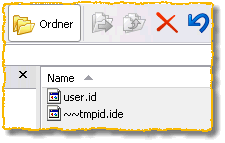
ID Recovery – possible ID files
What exactly is the difference?
In principle, both variants are a fully functional replacement for a user ID – in case of loss or damage, they can be used as a substitute for the previously used user ID.
A backup ID with the file name user.id also contains the originally used password – with this ID, the user could immediately continue working "normally".
IDs with the file name ~~tmpid.ide do not contain the originally used password. In order to use such a file on the Notes client, the administration must extract the recovery password (16-digit HEX code) and provide it to the Notes user together with the ID file (e.g. renamed to user.id).
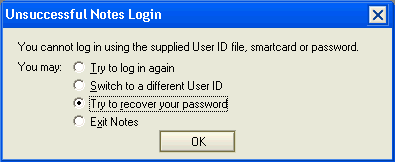
Dialog in the ND6.x client, password recovery
After the end user has set a new, individual password during the password recovery cycle, they once again have a complete user ID.
Note
The information provided here is based on the IBM technote How Is the „~~tmpid.ide“ File in the Recovery Database Used? (Reference #1174413).