The Notes Client can find a replica of a selected database on another server by right-clicking on a "tile" and choosing the "Find Replica" option. But it can also do this for all databases open in the workspace in a single step.
What is this about exactly?
If you already have a "tile" for a specific database open in your workspace and want to additionally add this database (replica) from another Domino server as a database icon to your workspace, you can conveniently do this by right-clicking on the tile and selecting "Replication" -> "Find Replica".
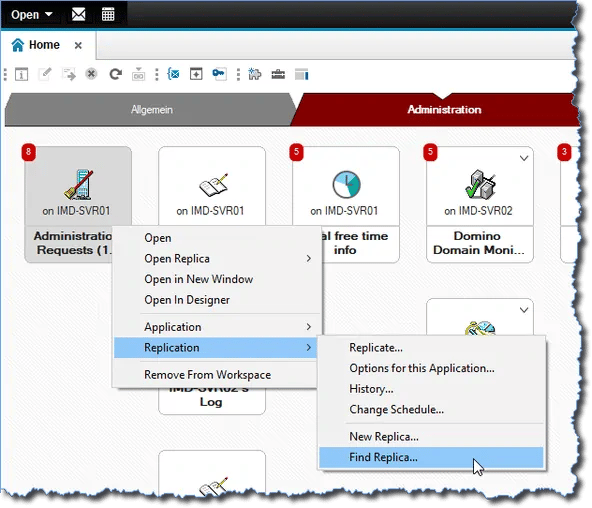
Finding a replica of a database already open in the workspace on another Domino server
In the following dialog, you simply need to select the desired Domino server:
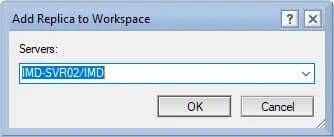
Selecting the desired Domino server
If a replica of the previously selected database exists on the chosen Domino server, it will be added to the workspace.
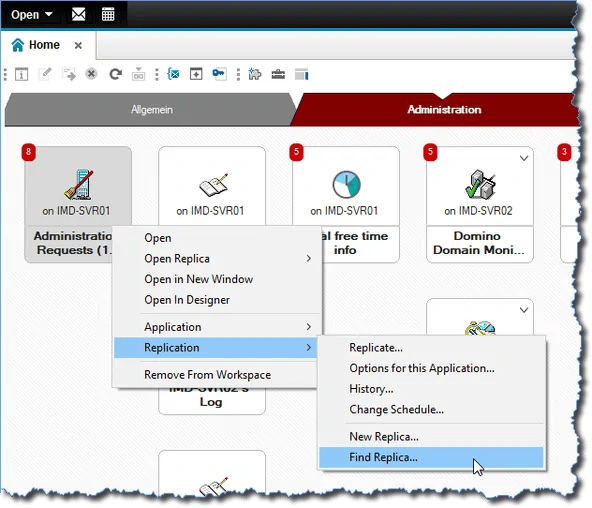
The replica of the selected database has been added to the workspace
Advantage: You don't have to manually search for a replica of the previously selected database on the target server. For Domino servers with a large number of databases, this can be a real time saver.
However, this approach would still be very time-consuming for a larger number of databases open in the workspace...
Can it be done even better?
Yes. If you perform the procedure described above again and before the initial right-click on a database "tile", press and hold the "Shift" + "Ctrl" keys, the Notes Client will search for replicas on the target server for ALL databases open in the workspace (regardless of which tab pages the database icons are placed on).
The Notes Client does need several seconds for this process – but it never "froze" during my tests. Just give it a moment... 🙂
Note: The "Shift" + "Ctrl" key combination is also used on the macOS Notes Client.