A detailed guide for Domino Administrators
Anyone who has been operating a Notes/Domino environment for a long time started »back then« with small key lengths in the certifiers as well as server- and user-IDs (630 bits), which are now considered insecure and should be replaced as soon as possible. Secure keys have a length of 2048 - 4096 bits.
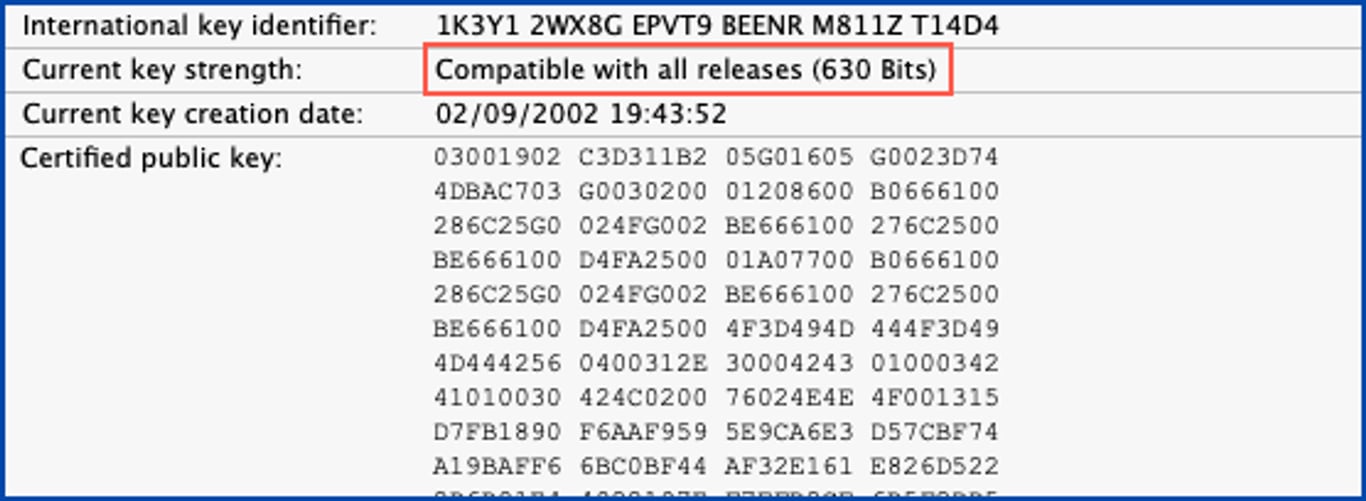
The »Domino Certificate Authority Key Rollover« process allows an organization to assign new private and public keys to its Domino organization and its organizational units, servers, and users. The process of provisioning new private and public keys is commonly known as »key rollover« and is referred to as such throughout the remainder of this documentation.
The primary objective of this book is to provide you with a practical guide for performing a key rollover in your own Domino environment. In addition, you will also find some background information about the certifiers as well as server and user IDs, which are not available or difficult to find in the official documentation from HCL on this topic.
This book is very detailed and includes many screenshots. This should also enable administrators who are not so familiar with certificate management to implement a key rollover in their Domino environment without errors.
All documentation refers exclusively to the use of certifier-, server- and user-ID files. Key rollover when using the Domino CA process is not discussed.
1. Introduction
- 1.1. Motivation
- 1.2. Legal notes
2. Terms and the status quo
- 2.1. Terms and abbreviations
- 2.2. Verification of certificates at the level: Organization
- 2.2.1. In Domino Directory
- 2.2.2. By Certifier ID
- 2.3. Verification of certificates at the level: Organizational Unit
- 2.3.1. In Domino Directory
- 2.3.2. By Certifier ID
- 2.4. Verification of Domino Server certificates
- 2.4.1. In Domino Directory
- 2.4.2. By Server ID
- 2.5. Verification of Notes user certificates
- 2.5.1. In Domino Directory
- 2.5.2. By User ID
3. Key Rollover Introduction
- 3.1. Requirements
- 3.2. What is there to consider after a key rollover?
- 3.2.1. Agents
- 3.2.2. Execution Control Lists (ECLs)
- 3.2.3. Cross certificates
- 3.2.4. Policies
- 3.2.5. Templates
4. Organization key rollover (O)
- 4.1. Execution of the key rollover
- 4.2. Verification of the changed key lengths
- 4.2.1. Certificate document in Domino Directory
- 4.2.2. Certifier ID
5. Organizational Units key rollover (OUs)
- 5.1. Execution of the key rollover
- 5.2. Verification of the changed key lengths
- 5.2.1. Certificate document in Domino Directory
- 5.2.2. Certifier ID
6. Domino Server key rollover
- 6.1. Execution of the key rollover
- 6.2. Verification of the changed key lengths
- 6.2.1. Server document in Domino Directory
- 6.2.2. Server ID
- 6.3. Alternative: Recertification of a Domino Server
7. Notes User key rollover
- 7.1. Disable public key verification in server document!
- 7.2. ID Vault - why is it important?
- 7.3. No ID Vault in use? Change immediately!
- 7.4. notes.ini parameter for the ID Vault
- 7.5. Execution of the key rollover
- 7.6. Verification of the changed key lengths
- 7.6.1. Person document in Domino Directory
- 7.6.2. User ID
- 7.7. Alternative: Recertification of a Notes user
8. ID Vault
- 8.1. Possible problems
- 8.1.1. Password reset
- 8.1.2. User registration
- 8.1.3. Automatic upload of user IDs
- 8.2. Capture current state of ID Vaults
- 8.3. Replacement of the Vault Trust and Password Reset certificates
- 8.3.1. Delete existing certificate documents
- 8.3.2. Create new certificate documents
9. Optional: Create a new ID Vault
- 9.1. Motivation
- 9.2. Create a new ID Vault
- 9.2.1. Step 1 to 9.2.10. Step 10
- 9.3. Review of activities carried out
- 9.4. Review of the policies
- 9.5. Customizing the settings documents
- 9.6. What else is happening now?